

Mobile Version: Browser, Catalogue and Cashier
SpinDjinn Casino works on smartphones through a responsive website. There are no native iOS or Android apps. A compatible modern browser and internet connection are enough to access the catalogue, account and cashier.
The main sections do not require a separate mobile account. Your phone uses the same profile as your computer. Balance, status and active offers belong to the account rather than to a particular device.
A home-screen shortcut makes it quicker to open the page. It does not prove that a separate PWA exists with full app features, offline play and push notifications. Do not install a third-party APK merely because its name looks similar.
Android: Getting Started
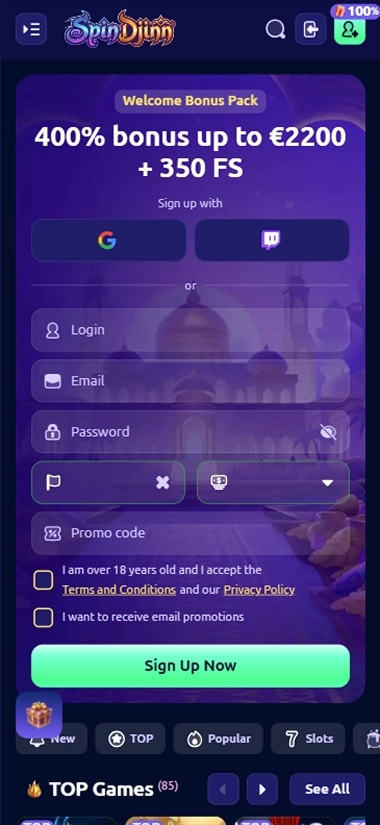
Open Chrome or another up-to-date browser and visit the website. Check the address bar before entering your details. Sign in with email and password or the Google or Twitch profile you linked.
For quicker access, open the browser menu and choose Add to Home Screen if available. Confirm the icon label. The shortcut will open the same page without enabling installation from unknown sources.
You do not need an APK for official access. A request to install a file from an unrelated page should be treated separately from normal browser access. Such a file may have no connection to the operator.
iPhone and iPad
Open the page in Safari or another compatible browser and sign in. To create a shortcut in Safari, choose Share and then Add to Home Screen. Edit the label if needed and confirm.
The shortcut does not enable offline play. You may need to sign in again after a session ends or cookies are cleared. A saved icon does not, by itself, protect your account.
Requirements and Performance
Formal minimum operating-system versions have not been published. An updated browser, secure connection and stable network matter more than a particular device model. Available memory and the number of open tabs also affect performance.
Live Casino needs a steady video stream. If the connection is unstable, do not repeatedly tap to place the same wager. First check whether the previous action was accepted.
Browser access requires no separate installation package, but it uses cache and memory. Close unnecessary heavy tabs if the site slows down. Screen rotation can move buttons, so check the amount again before confirming.
Signing In on a Phone
For a standard profile, use your email and password. For Google or Twitch, select the relevant button and the same external account used at registration. An automatically selected profile belonging to someone else may cause a login error.
A forgotten standard password is reset by email. Social credentials must be recovered through Google or Twitch. Do not enter a phone number in place of your email address on the login form.
Slots and Quick Games
The mobile lobby offers slots, table formats, Crash, Plinko, Mines and other categories. Examples include Book of Ra Deluxe, Epic Ze Zeus and 3 Thunder Coins: Hold and Win. Most slots can be tried in demo mode without adding funds.
Read the help information before switching to real money. On a smaller screen, the feature-purchase button may sit close to other controls, so do not confirm automatically. Bonus Buy can cost considerably more than a regular spin.
Live Casino and Sports
Evolution, Pragmatic Live, Stakelogic and Ezugi provide streams with dealers and hosts. Check the minimum stake and betting window before joining. Your phone’s menu language does not determine the language of every table.
The sports section is also available in the browser, with real competitions, esports and virtual disciplines. Before placing a slip, distinguish Counter-Strike or League of Legends from virtual eSoccer: these are different event types with different settlement rules.
A casino promotion does not necessarily apply to a sports slip. Free bets have their own odds, deadlines and rules on returning the original stake. Consult the relevant section rather than relying on the general slot offer page.
Using the Mobile Cashier
The Cashier lets you add funds and request withdrawals. Methods and limits are tied to your account, not screen size. The minimum for most incoming payments is EUR 20, or EUR 5 for Cashlib.
However, major offers may require EUR 25 or EUR 50. A transaction accepted by the cashier does not automatically qualify for a reward. Choose the relevant offer card before paying and make sure the amount meets its threshold.
For withdrawals, MiFinity, Skrill and Rapid Transfer are capped at EUR 500 per request, while Zimpler allows EUR 400. Cryptocurrency channels permit requests equivalent to up to EUR 1,500. The minimum for the listed withdrawal methods is EUR 20.
You can paste a crypto address, but always compare the details afterwards. Check the asset and network as well.
Submitting Documents with a Phone Camera
You can complete KYC before your first withdrawal through the browser. Photograph documents in even lighting and check that the text is legible. Do not crop the edges or allow glare over the name, number or photograph.
For card verification, conceal the CVV and sensitive digits. Upload files to the secure section and follow the specified size and format requirements. If an upload fails, check the instructions rather than sending documents to an unknown messaging account.
Offers, Prize Wheel and Status
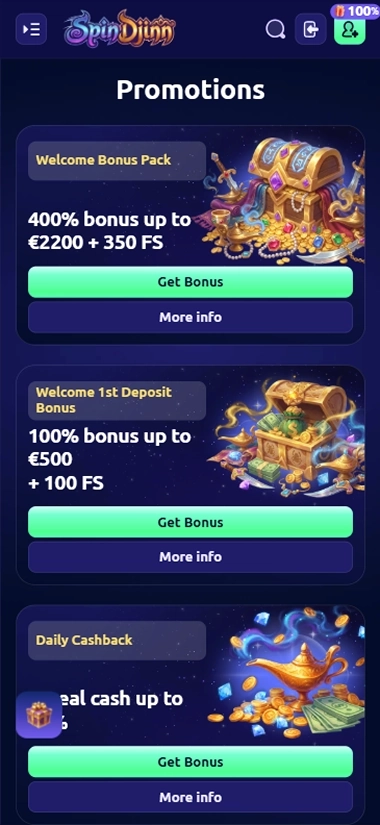
Introductory packages, Wednesday Reload, Magic Bonus Set and subscriptions can be accessed through the mobile cashier. Switching devices does not restart the wagering deadline. Maximum stakes and withdrawal caps remain governed by the active offer.
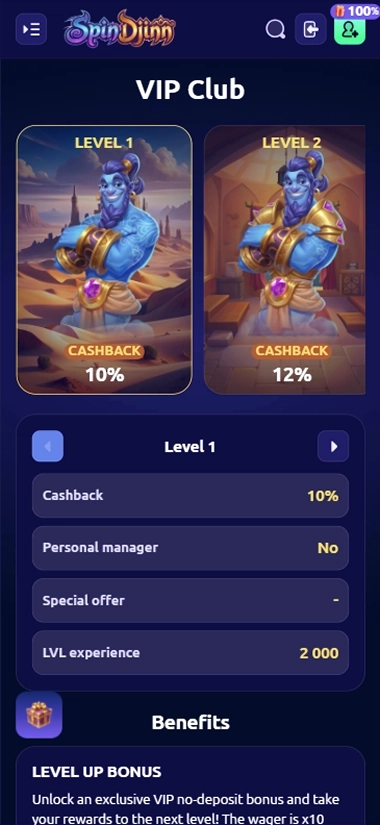
Coins, Shop, Daily Missions and Wheel of Fortune are also linked to your profile. Cashback depends on status and eligible losses, not on whether you use an app. Adding a home-screen shortcut does not grant a new tier or separate reward.
Support and Messages
Live Chat operates around the clock. For a payment query, provide the time, amount, method and transaction reference. For a reward query, include the offer name and when you selected it.
Email is suitable for detailed correspondence and attachments. Never send passwords, CVV numbers or one-time bank codes. Remove sensitive fields from screenshots before sharing them.
Updates and Troubleshooting
| Issue | What to do |
|---|---|
| Page loads slowly | Check the connection, browser updates and unnecessary tabs |
| Title will not start | Try another title and check compatibility |
| Signed out | Sign in again using the original method |
| Payment has not appeared | Keep the confirmation and contact support before trying again |
| KYC file will not upload | Check the file format, size and image permissions |
There is no need to update a separate casino app through an app store. Website changes are delivered from the server. Be prepared to sign in again after clearing cache or cookies.
Responsible Play on Mobile
Your profile lets you control spending and session length. If you need an extended break, contact support about self-exclusion. Simply closing the browser is not the same as blocking access to the account.
External support is available from GamCare and Gambling Therapy, along with BeGambleAware’s self-assessment. Use only money you can afford to lose and do not extend a session just to claim an expiring offer.
Conclusion
The mobile website provides access to games, sports, the cashier and documents through a browser without a separate client. A shortcut makes return visits easier but does not enable offline use or replace account security. Check amounts, payment details and active offer terms just as carefully as you would on a computer.